During any league, there are often problems associated with a fixture, such as missing players or the home team not entering the full scores etc. In extreme cases, there may also be conduct issues.
This normally required teams to contact a league administrator directly but this has several main drawbacks:
- Any email conversation cannot easily be seen by other league administrators, who may also be involved in a discussion.
- Any email conversation cannot easily be seen by other team or club personel within the club.
- Any correspondence involving messages using other means than email, such as texts, WhatApp etc. makes it difficult to ensure that a easily viewable audit trail is available.
- There is no easy way for a team or league organiser to check if an issue has been dealt with.
League Master provides a notes and messaging system designed to keep all fixture specific correspondence in one place.
Activation
To activate the messaging system - make Fixture Notes link visible on the results entry page - login using the MASTER login and go to System Settings > General League Settings > Optional Features > Show Fixture Notes.
Initial Message
To add an initial message, you must login, go to a specific fixture and at the top of the page is a link for Fixture Notes.
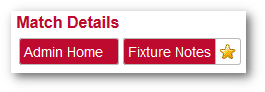
If there is at least one message already added to the fixture, then a star will be shown against the Fixture Notes link.
Existing Messages
Once at least one message has been added to a fixture, you will be able to see a note icon against the fixture in any fixture list:
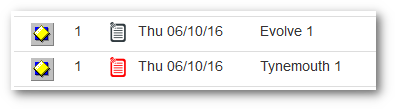
A grey icon indicates that the message has been deemed 'closed' and a red icon indicates that it is still an 'open' discussion.
In addition, you will see a new link on the main login page which will give you a list of all fixtures that have at least one note associated with them:

Multiple Messages
The League Messaging system does not separate messages on different topics nor message threads instigated by different teams. It is simply a continous dialog, which may involve one or both of the associated teams and an administrator.
It may be that a message discussion results in the issue being solved and 'closed' but at a later date, either the issue needs to be raised again or a completely different matter is raised by a team, in which case the messages can be 'reopened'. (See below).
Fixture Notes Page
The Fixture Notes page shows any existing notes and also the facility to add a new one:
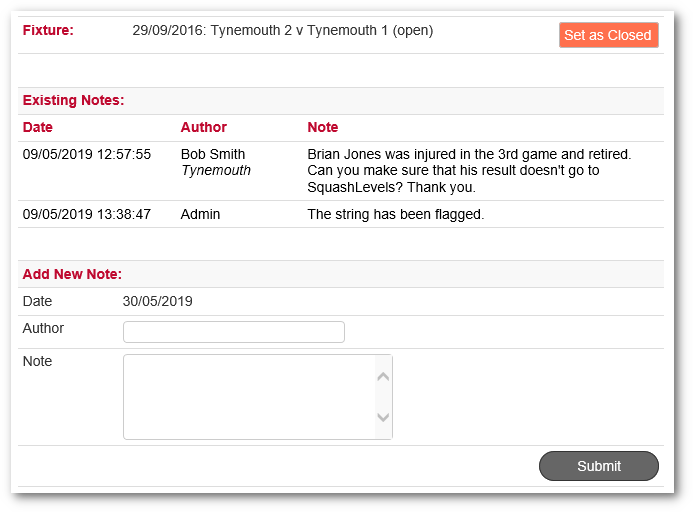
Fixture
Initially a fixture note will be "Open" which indicates that the issue has not yet been actioned or resolved. Once the matter has been dealt with it will be set as "Closed" by an administrator.
Existing Notes
Any previous notes will show the Author and the club to which they belong.
Add New Note
Simply add your name and the message and click Submit.
Every time anyone submits a message, an email will be sent to the opposing team captain and the relevant league administrators.