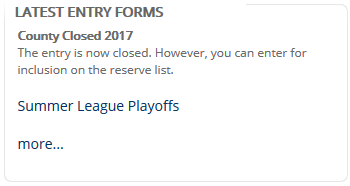
While the tournament is open, a player wishing to enter will go to the main tournament details page and will click on the Entry Form link:

However, at some point you will want to close the online entry for a tournament.
Entry Closure
You can close the entry in one of two ways:
Untick Use Entry Form. This simply removes the link as mentioned above and no one can enter.
Untick Entry Link Active. This keeps the section but adds an informative message:

You can also add some text, such as "The tournament is now closed but if you wish to be added to the reserve list, please contact ...".
However, there is another option:
Reserve Entry
For most events, even if you want the largest number of entrants, there will be a limit, either in terms of the number of players that can be accomodated, or simply that you must close the entry at some point to allow for draws etc. to be created.
However, you may want players to be added to a Reserve List. These are players who entered too late for normal inclusion but may be prepared to be called on last minute if anyone drops out.
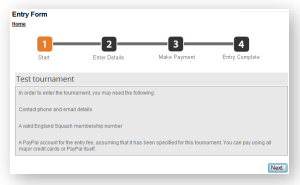
For a normal entry process, clicking on the Entry Form will bring up the first page of the process:
But by ticking the Reserve List Active box, the entry process first page now states a Reserve Entry message.
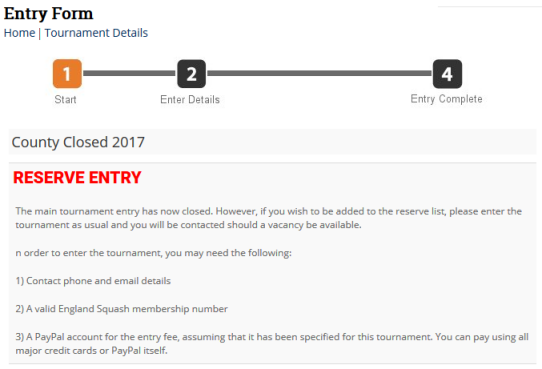
Anyone who enters the tournament as a Reserve Entry, can follow the entry process but the payment stage is bypassed.
Latest Tournaments
If you are using the Latest Entry Forms widget on the home page, then it will show current tournaments with entry forms:
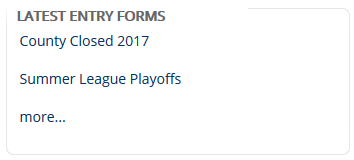
However, if the entry has closed, regardless of whether the Reserve Entry system is enabled, you can show the tournament as closed and add some text: