Having created a Stripe or PayPal account, and created the necessary link(s) for payment, login to League Master as supervisor and go to Tournaments & Events > Tournament Settings > Payment Sources.
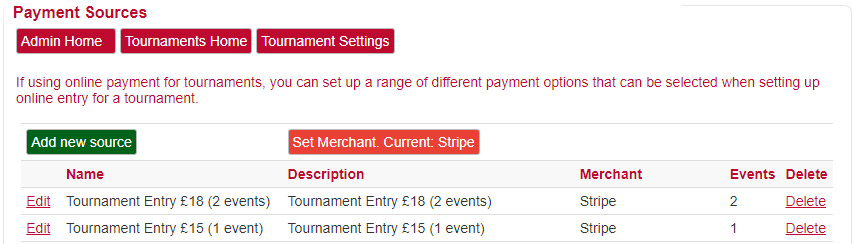
Set Merchant
There are three options for how entrants will pay: Stripe, PayPal or Internal. However, at any one time, only one can be active. So if you set the option to be Stripe, only those links created within Stripe will be shown and any new sources added will be set as Stripe links.
However, you can change the merchant if you wish.
Add new source
This allows you to set up the source (with options relevant to the default merchant).