Initial Setup
In order to use the online payment system, there are a number of
prerequisites and procedures that need to be carried out:
Create a Stripe Account.
You can do this at https://stripe.com/gb.
Once done, login, click on Products on the main
menu.
Creating a Product
This is pretty self-explanatory but the main process is:
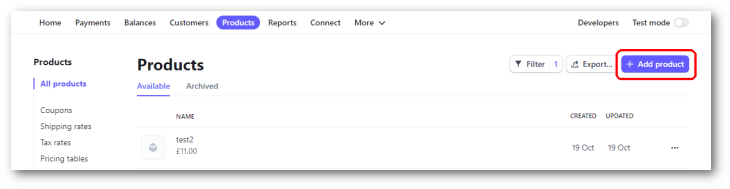
Click on the Add Product link
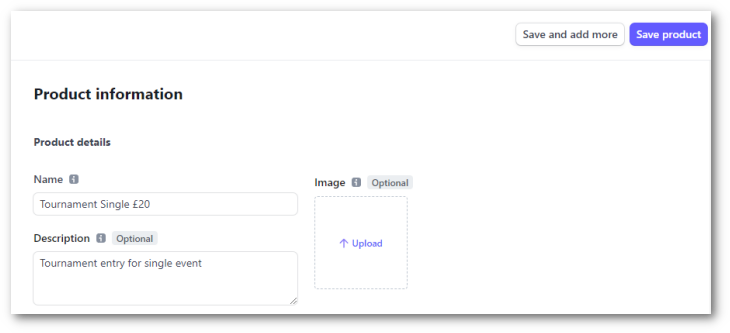
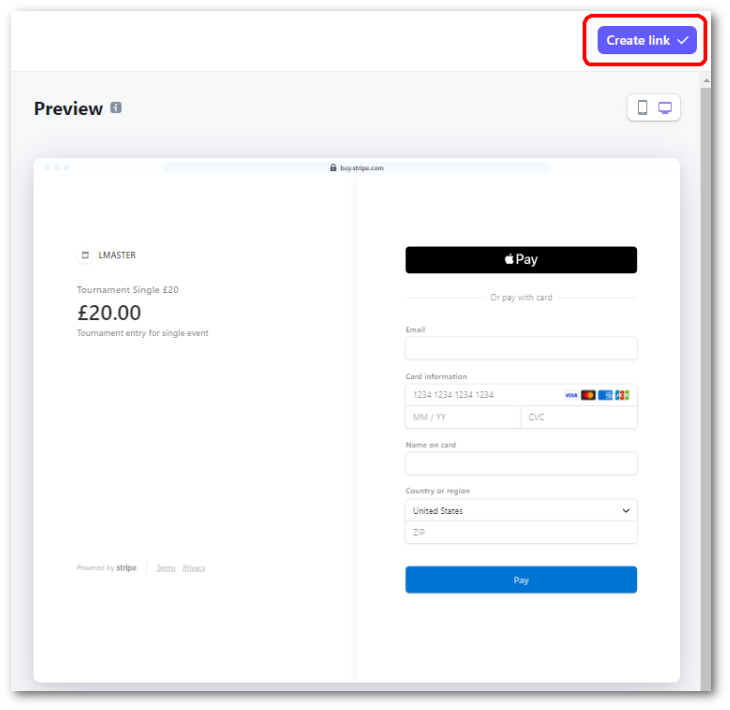
The Name and Description that you give the product is how it will appear on the payment page that the entrant will see (see lower down).
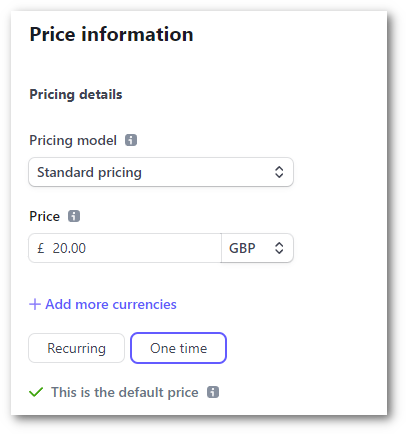
The Price information is also simple in that you will probably want Standard Pricing, the Price for entry, and select 'One time'.
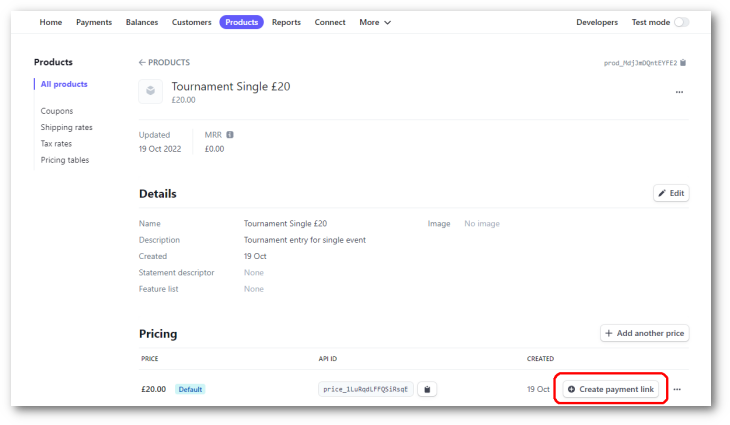
Once done, click the Save button and you will see the new product. You must now click the Create payment link button.
You will now see the payment page as the entrant will see it, and if all looks good, then click the Create link button.
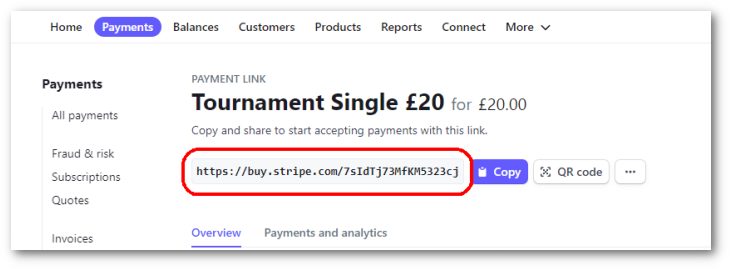
The important information here is the link that will be entered into League Master. You can also test it by copying the link into a web browser.
Multiple Products
If an entrant is only allowed to enter one event in your tournament, then the Product that you have created will be all you need. However, if you can enter more than one event, then you will need to create at least one more Product.
For example, where an entrant can enter up to two events, with the cost of one event at £20 and the cost of two events at £35, you will need to create a product for each, and each option will have it's own link.
 |
Tip: As you create new tournaments, you may need different payment options and different costs. Simply create new Products as required. |