For almost all events you will need to consider seeding. For a small draw, it is a trivial matter to add players as you want, with the top seed at the top and the second seed at the bottom.
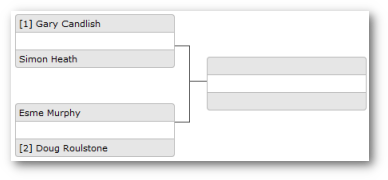
However, it become more complex as your draw becomes larger, and making
sure you place players in the correct starting position needs to be done
carefully.
League Master simplifies this process by allowing you to create a list of seeds in order:
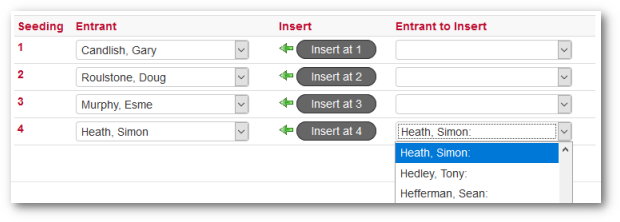
You simply work down the list, entering each play in order with the best player at the top, until you have all your players in ability or "seed" order. You can also insert players if required.
Having created your seeding list, simply go to the associated draw, click the Apply Seeding button and all the players will be entered into the draw in the correct positions.
Setting Event For Seeding
Go to the Event setup page and tick the Use Seeding box.
Return to the Tournaments & Events home page and you will now see a Seedings link for the event:

Click on the Seedings link to access the Seedings page.
Automatic Seeding Using SquashLevels
Assuming that the Sport has been set as "Squash" in the Event setup, you can automatically obtain a player's level or ranking from SquashLevels.
Connected Links